
Ponk on Telegram. The same system, inside a chat.
Find a pool, read its checks, start an agent and keep an eye on it, all from the chat you already have open.
What you can do there.
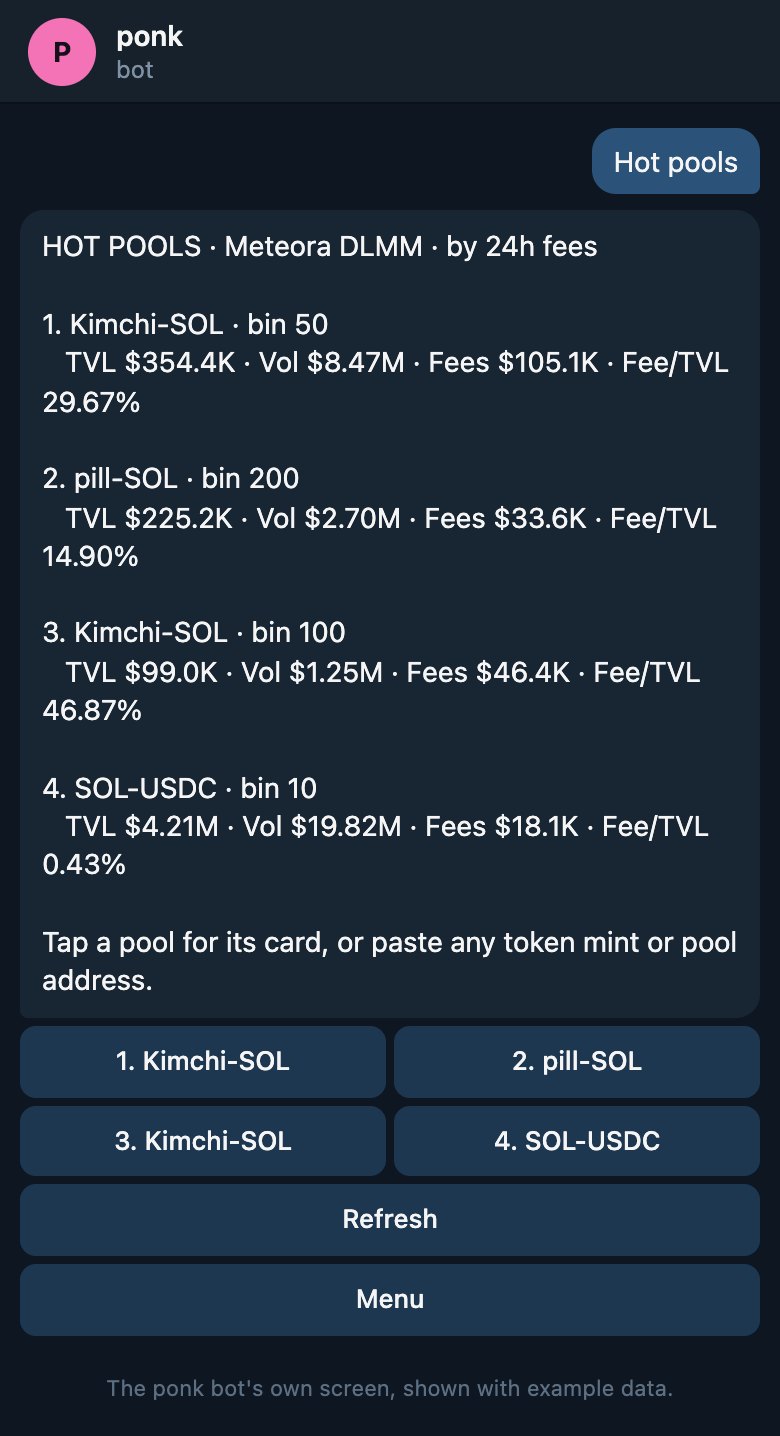
- Browse the pools paying the most right nowWorks before you link anything
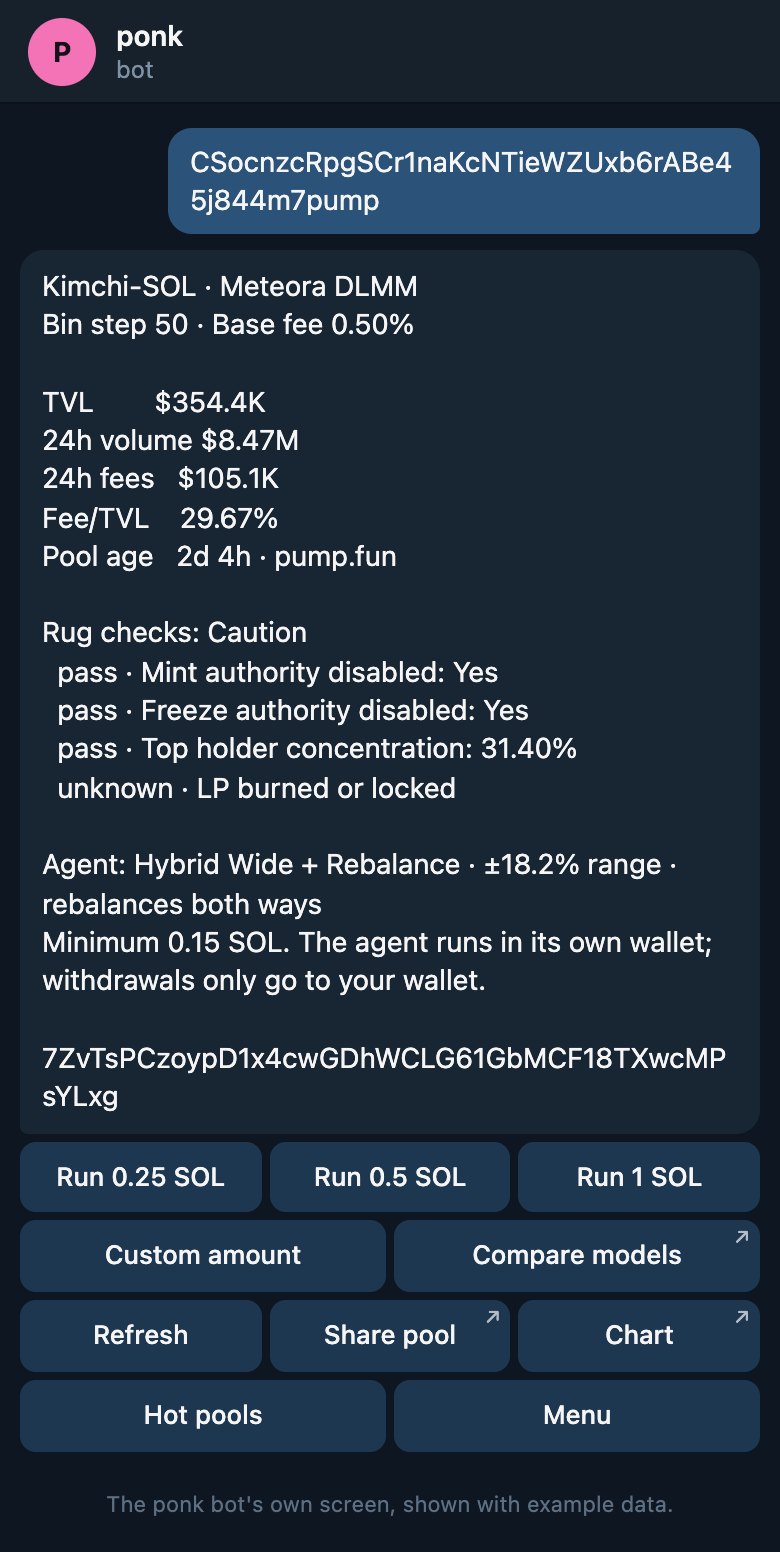
- Paste any pool or token to get its cardFrom any chain or venue PONK works with
- Read the safety checks on a poolIncluding when a check could not be run
- Start an agent in a tapFunded and approved from your own wallet
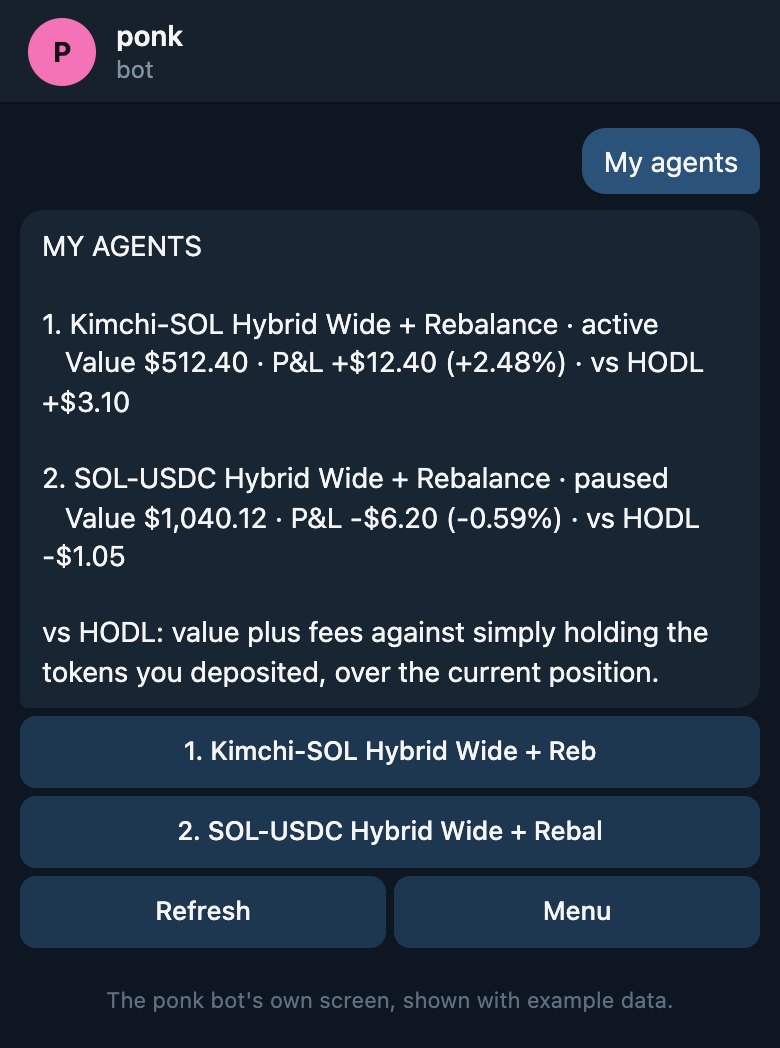
- Pause, resume, exit and withdrawFrom the same message that told you what happened
Getting started.Three steps.
Open the bot
Open @Ponkexchangebot in Telegram and press Start. Hot pools and pool cards work straight away.
Open the botLink your wallet
On Ponk Exchange, open Settings, then Telegram, and tap Connect. A one-time code links the chat to your wallet.
What linking storesPick a pool
Choose one from the board, or paste one in. Nothing moves until you fund and approve the agent from your own wallet.
The full guide
What the bot can and cannot do.
It can create an agent.
And press the same buttons you would press on the web: pause, resume, exit and withdraw.
It cannot move your money.
Funds only leave your wallet when you approve it there, in your wallet, yourself.
Withdrawals go home.
Every agent runs in its own wallet, and what it holds only ever returns to yours.